


What Is Digital Risk Protection (DRP)? A Practical Guide

What’s on this page
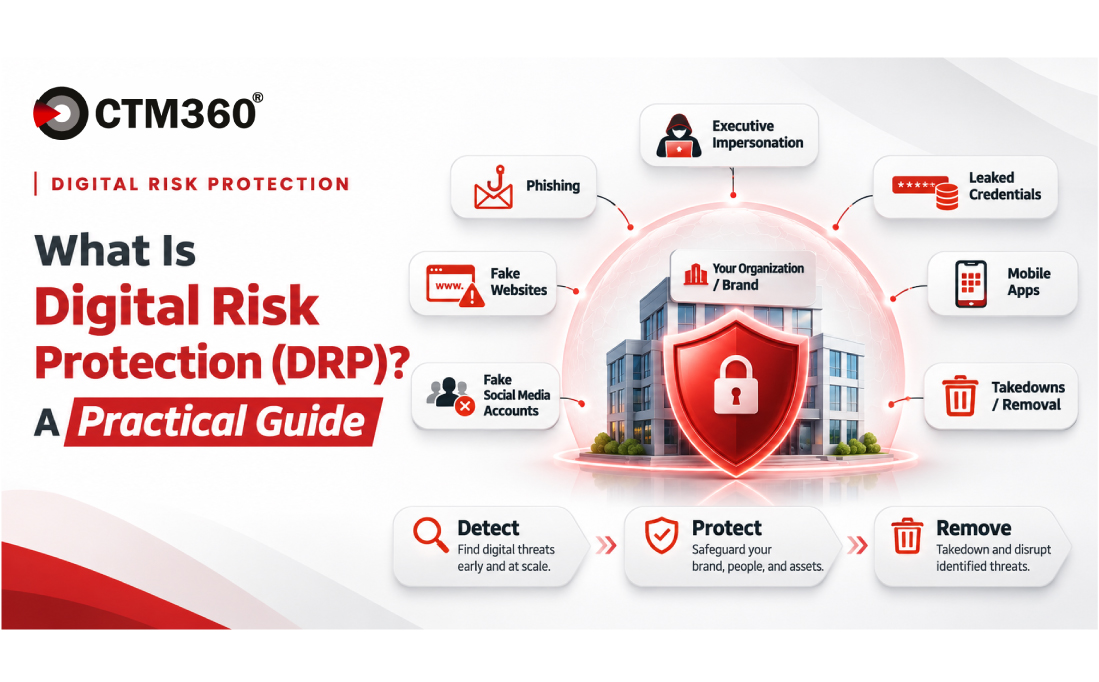
Digital Risk Protection (DRP) is the practice of finding and removing threats that use your organization's name outside your own network. Phishing sites, fake social media accounts, malicious apps, leaked credentials and fraud schemes all fall under it.
Most of these threats never come near your firewall. They sit on hosting servers, app stores, social platforms and dark web forums, so your internal tools simply don't see them.
What is Digital Risk Protection?
DRP covers the part of your attack surface you don't own but still have to answer for. When a customer loses money to a fake banking app with your logo on it, they won't blame the app store. They'll blame you.
Internal security focuses on keeping attackers out of your systems. DRP watches the public internet for anyone pretending to be you, selling your data or building infrastructure to target your customers and staff. It usually sits with SOC, cyber defence or information security teams, and it overlaps heavily with brand protection because so much of the damage is reputational. For how DRP sits alongside attack surface management and threat intelligence, see where Digital Risk Protection fits in a consolidated external security platform.
Day to day, DRP means spotting these threats early and getting them removed, and honestly, the removal part is where most of the effort goes.
What threats does DRP cover?
The list keeps growing as attackers find new ways to borrow trust. The most common categories today are:
Some threats matter more in certain industries. Card leakage and money mules are mostly a banking problem, while executive impersonation affects almost every large organization.
Infostealer logs vs breached credentials: what's the difference?
Both involve stolen logins, but they come from different places and tell you different things.
Infostealer logs have quietly become one of the most common things DRP teams find. The stolen data can belong to employees, to customers logging into your web applications, or to users who saved credentials in your mobile app.
Banks face a related problem with card leakage: card numbers, expiry dates, cardholder details and sometimes CVV codes showing up on the clear, deep and dark web. Spotting them early lets the bank block cards before they're used for fraud.
How does DRP detect threats?
Before you can spot a fake, you need a clear list of what's genuine. Effective DRP starts with an inventory of your genuine digital presence: your domains, IP addresses, apps, social accounts and brand names. Anything that uses your identity but isn't on that list becomes a candidate for investigation.
From there, detection runs on identifiers, which act as rules for what to look for. These typically include:
- Brand names and executive names
- Logos and images
- Domains and IP addresses
- Mobile app names and publishers
- Regex patterns for flexible matching
- BIN numbers, so a bank can recognize its own cards in leaked data
The data itself comes from a mix of commercial intelligence feeds, partner feeds and in-house tools.
Lookalike domains show how this works in practice. Thousands of domains are registered every day, and most are harmless. To separate them, each suspicious domain is scored on signals such as a direct keyword match, DNS activity like new A, NS or MX records, and other technical indicators. A domain that suddenly gets an MX record is set up to send or receive email, which is a good reason to look closer. Monitoring also covers permutations of your domain, so new registrations can be caught as soon as they appear, and passive DNS helps uncover phishing infrastructure that doesn't resemble your name at all.
Why does human review still matter in DRP?
Automation finds candidates quickly, but it can't always judge intent. A domain containing your brand name might belong to a reseller, a fan page or a local shop with a similar name. A fake profile might be obvious parody. Sending a takedown request for any of these wastes time and can damage your relationship with the platforms you depend on for real takedowns.
That's why analyst review matters. Before an incident reaches your team, someone should have looked at the screenshot, checked the evidence and confirmed that it's genuinely malicious. That review is also what makes a takedown request credible. Registrars and hosting providers act faster on a complaint backed by clear evidence than on an automated flag.
Your own team is the second check. You know things no platform does: that marketing launched a campaign microsite last week, or that a partner is authorized to use your logo. A good DRP workflow asks for your approval before a takedown goes ahead, so nothing legitimate gets removed by mistake.
What happens after a threat is detected?
Finding a threat doesn't help much if it stays online. Most takedowns follow roughly these steps:
- Detect and validate. The threat is found, scored and confirmed by an analyst.
- Review. The incident is sent to your team with a screenshot and evidence. You either request a takedown or close it if no action is needed.
- Escalate. With your consent, the case goes to the right party: the registrar, the hosting provider, the app store or the social media platform.
- Track. The incident stays open and logged until the content is gone, so you can see where every case stands.
- Monitor afterwards. Removed threats have a habit of coming back on a new host or domain, so the asset stays under watch after it's taken down.
Takedown speed depends partly on how quickly the third party responds, and no provider can force a platform's hand. What makes a real difference is evidence quality and established working relationships with registrars, hosts and platforms, which help cases move through their policies, especially in high-volume situations.
Why look at fraud as a campaign?
Taking down one phishing site rarely ends a scam. The people behind it are usually running other domains, social ads, phone numbers and bank accounts at the same time, and they just move victims to whatever is still live.
Money mule accounts are a good example. Scammers impersonate executives, set up fake companies or promise investment returns, then hand victims an IBAN to transfer money into. One way to uncover these accounts is baiting: engaging with scammers through email addresses already flagged by threat intelligence until they share the account details they use. Those details can then go to the bank before more victims pay in.
The idea is to follow a scam all the way from setup to cash-out, and step in where it hurts the operation most.
What should you ask when choosing a DRP solution?
Most DRP demos look alike. A few blunt questions usually show you where vendors actually differ:
- Does detection start from an inventory of our genuine assets, or only from keyword searches?
- Who validates an incident before it reaches us, a person or a rule?
- Are takedowns included, and who handles the follow-up with registrars and platforms?
- Do we approve takedowns before they're sent?
- What happens after a takedown? Is the threat monitored in case it returns?
- Can we see the full history of each incident, including every status change?
- Which use cases are covered for our industry, such as card leakage or money mules for banks?
How CTM360 helps
CTM360's Digital Risk Protection module, CyberBlindspot, monitors the surface, deep and dark web for threats aimed at an organization, its brands, executives and customers.
Detection starts in HackerView, CTM360's attack surface management module, where the organization's genuine assets are mapped first. CyberBlindspot then uses that inventory, along with identifiers preconfigured by CTM360 such as brand and executive names, logos, domains, IP addresses, app names and BIN numbers, to find fakes and fraud earlier and more accurately.
Every incident gets a unique ID, a screenshot and a full timeline, and teams can raise questions directly through Ask An Analyst. Incidents move through clear stages: Member Feedback when your input is needed, Work in Progress while CTM360 handles the takedown, and Resolved or Closed at the end. Takedowns only go ahead with your consent, and CTM360 keeps monitoring afterwards in case the threat returns.
Coverage includes phishing, brand and executive impersonation, lookalike domains, malicious apps, infostealer logs, breached credentials, card leakage, money mule accounts and gambling sites, with new use cases added as threats change. For campaign-level fraud, CTM360 uses Fraud Navigator, its own framework inspired by MITRE ATT&CK, which maps observed activity across the stages of the fraud lifecycle and gathers evidence through baiting to support faster, more effective takedowns.
Frequently asked questions
What is Digital Risk Protection in cybersecurity?
Digital Risk Protection (DRP) is the practice of detecting and removing external threats that misuse an organization's identity, such as phishing sites, impersonation, malicious apps, leaked data and fraud schemes.
How is DRP different from EASM?
External Attack Surface Management (EASM) finds weaknesses in the assets you own, like exposed services. DRP finds threats built by others that use your name, like a fake app or a phishing domain. EASM's asset inventory is what helps DRP tell the genuine from the fake.
What is the difference between breached credentials and infostealer logs?
Breached credentials come from a data breach at a third-party service. Infostealer logs come from malware on an infected device and usually include cookies, IP addresses and device details along with the passwords.
Can a DRP provider guarantee a takedown?
No. The final decision rests with the registrar, hosting provider or platform. A provider controls the evidence, the escalation and the follow-up, which strongly affect how quickly a takedown happens.
What is a money mule account?
A money mule account is a bank account used to receive and move funds stolen through scams, often set up or controlled by fraudsters.


