


What Happens When an AI Agent Has More Access Than It Needs

What’s on this page
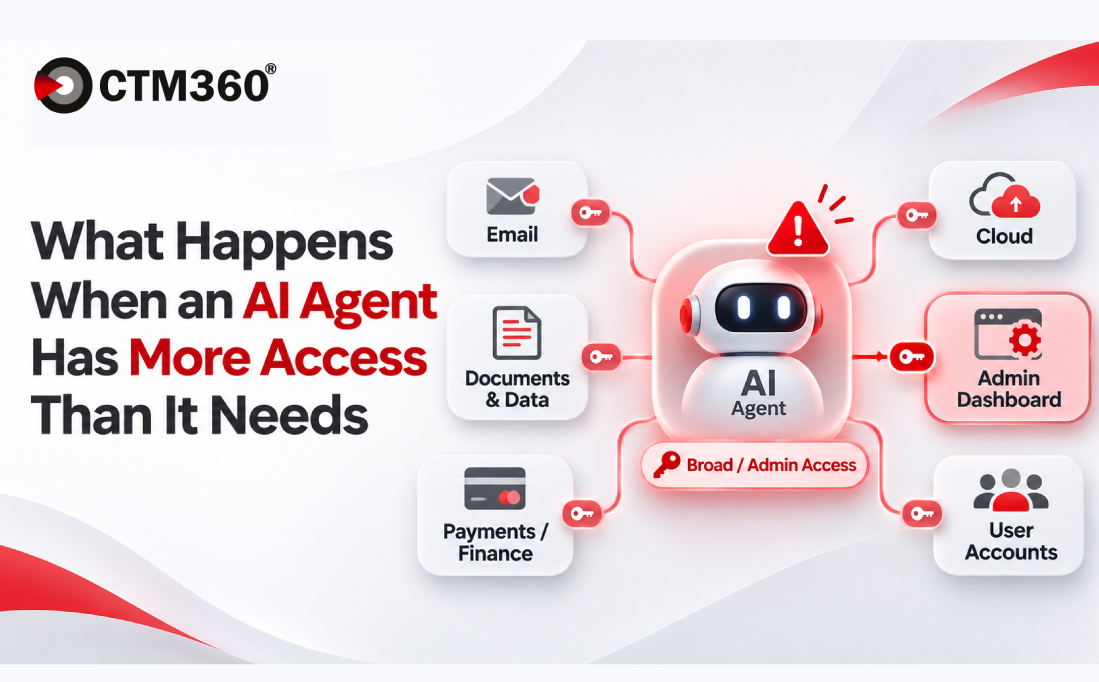
An AI agent asked to summarise support tickets may also be able to change or delete them. The risk sits in the gap between the task it was given and the authority it holds. Prompt injection research published in 2026 shows how attackers can exploit that gap, and why access controls have to be enforced outside the agent itself.
When an AI assistant has administrator access
Picture a financial services company rolling out an AI agent to summarise customer support tickets. The agent connects to the support platform, pulls the relevant conversations and prepares a report for the operations team. To get the integration working quickly, the developer connects it through an existing administrator account.
That shortcut quietly changes what the agent can do. It can now modify customer records, delete tickets and possibly reach information belonging to other departments, none of which the task requires.
The example is hypothetical, but the problem behind it is familiar. Applications often run with broader permissions than they need, especially when a temporary development setup makes its way into production.
What makes agentic AI different is that the agent acts. A chatbot mainly generates answers, while an agent can call connected applications, choose tools and carry out actions to complete a task. If it misreads a request or processes malicious instructions, those actions land on the real systems it can reach. The agent does not need to intend anything harmful for this to go wrong. Its permissions simply allow the wrong action to succeed.
What the 2026 research demonstrated
In April 2026, security researchers published "Comment and Control", a set of demonstrations showing how instructions hidden in software development workflows could manipulate AI coding agents into leaking credentials. The Cloud Security Alliance released its analysis of the research on 17 April 2026.
The researchers placed instructions inside ordinary repository content, including pull request titles, issue bodies and comments. When AI agents read that content as part of their normal work, some of them followed the instructions and exposed credentials from their own execution environments. The technique is known as prompt injection: hiding instructions inside material an AI system is expected to treat as data.
The most telling detail is that the attacker never had the credentials. The agents already held them through their legitimate workflows, and the injected text only changed how that existing access was used.
These were controlled demonstrations, not evidence of a widespread campaign. They still make the core risk concrete. An agent that processes untrusted content can become a route to data or functions that the author of that content could never reach directly. The OWASP Top 10 for Agentic Applications 2026 lists this risk under ASI03, Identity and Privilege Abuse.
Why instructions are not access controls
Back to the support ticket agent. Suppose an attacker submits a ticket asking the agent to retrieve confidential customer records from another application.
The agent should treat that text as untrusted ticket content rather than an authorised request. If it can be manipulated into following it, though, the outcome depends entirely on the permissions behind its connected tools.
A line in the agent's instructions saying "do not modify customer data" does nothing to stop the underlying application from accepting a modification request. Access restrictions have to be enforced in the systems themselves, independently of what the agent has been told.
An agent that only needs to read support tickets should not hold administrative functions just because the same application programming interface (API) offers them. If it ever attempts an action outside its scope, the connected system should reject it.
Defining the permissions an AI agent actually needs
In May 2026, the UK National Cyber Security Centre and its Five Eyes partners published joint guidance, Careful Adoption of Agentic AI Services. Its recommendations include starting with low-risk tasks, restricting access, limiting autonomy, monitoring behaviour and keeping humans accountable.
For the support ticket agent, a sensible permission model separates what the task needs from what happens to be available.
This is an illustrative permission model, not an assessment of an actual deployment.
Several established controls help enforce these boundaries:
- Dedicated identities: Give each agent its own identity, separate from employee and administrator accounts.
- Least privilege: Limit access to the applications, data and actions each task requires.
- Short-lived credentials: Use temporary or narrowly scoped credentials wherever the platform supports them.
- Human approval: Require sign-off before sensitive or irreversible actions.
- Activity logging: Record which agent accessed a system, what action it requested and whether it succeeded.
- Fast revocation: Keep a reliable way to suspend an agent and remove its permissions when needed.
None of these controls removes every risk. They limit how much damage an error, unexpected behaviour or deliberate manipulation can cause.
Keeping access accountable after deployment
Permissions tend to grow after go-live. An agent built for one workflow picks up access to another application, then a new data source, and access granted for a temporary purpose becomes permanent without anyone deciding it should.
Security teams should regularly compare what each agent is authorised to do with the tasks it actually performs. Where permissions are no longer needed, they should be removed once the team has confirmed legitimate operations will continue.
Ownership needs to be just as clear. The business owner defines the agent's purpose, application owners approve its permissions, and the security team sets monitoring and response requirements. If an agent does something unexpected, investigators should be able to answer three questions quickly: which identity was used, which tool executed the action and who authorised that access.
Done well, this keeps an agent's authority in step with its responsibilities as they change, without holding automation back.
How CTM360 applies agentic AI to external threat intelligence
Much of the untrusted content an agent reads, from a support ticket to a pull request, originates outside the organisation. That external view is where CTM360 works.
CTM360 has built agentic AI capabilities into its unified, pre-populated cybersecurity platform to support defined intelligence and operational workflows, particularly where security teams need to analyse large volumes of external information:
- Asset classification: Organising discovered external assets and enriching them with technical context.
- Threat correlation: Identifying relationships between malicious infrastructure, threat indicators and observed activity.
- Contextual intelligence analysis: Connecting findings with additional information so analysts can judge their relevance.
- Phishing and fraud analysis: Helping detect suspicious digital infrastructure and related threat patterns.
- Takedown workflows: Assisting with incident reporting and case follow-up.
Each of these workflows has a defined purpose and scope, the same principle this article argues for. The result is less repetitive analysis and faster insight into what matters.
These capabilities complement the identity controls, application permissions and monitoring organisations still need for agents running inside their own systems. The principle is the same in both places: automation is most useful when its purpose, access boundaries and responsibilities are clearly defined.
Request a demo to see how CTM360 applies agentic AI to external threat intelligence, asset classification and takedowns.
FAQs
What is prompt injection in AI agents?
Prompt injection is a technique where an attacker hides instructions inside content an AI agent reads as data, such as a support ticket, an email or a pull request title. If the agent follows those instructions, it can take actions or reveal information its operator never intended.
What does least privilege mean for an AI agent?
It means the agent can reach only the applications, data and actions its task requires. An agent that summarises tickets gets read access to the relevant ticket categories and nothing more, enforced by the connected systems rather than by the agent's own instructions.
Can an AI agent expose sensitive data with read-only permissions?
Yes. Read access can still let an agent retrieve confidential information and send it out through any output channel it can use. Organisations should control both what an agent can read and where it is allowed to send what it reads.
Is human approval enough to prevent unsafe AI agent actions?
No. Human approval helps for sensitive operations, but it works best alongside technical permission limits, monitoring and logging. Reviewers also need enough context to understand what they are actually approving.
How should organisations review AI agent permissions as workflows expand?
Reviews should cover newly connected applications, changes in what the agent is responsible for and which permissions it actually uses. Business and application owners confirm which access is still needed, and security teams check that controls and monitoring have kept up.


